

- Clients
- Projects
- Files
- Inbox sorted
- Monday brief
- AI Workers
- Approvals
- Books & ERP
- People & HR
- Roles & access
- Audit trail
- Data stays yours
Vantage Workspace, for small firms
Everything your
firm runs on. And the staff
to run it.
Clients, work, money, people and documents in one workspace, with AI Workers you hire by name to chase invoices, reconcile the books, sort the inbox and brief you every Monday.
A person approves anything that touches money or leaves the firm.
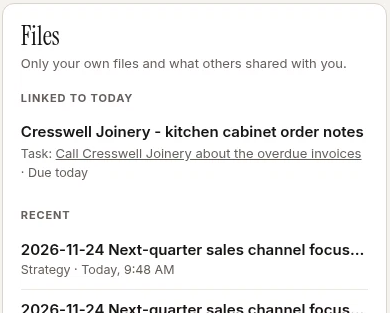
ClientsNotes and tasks for each client, linked to today. 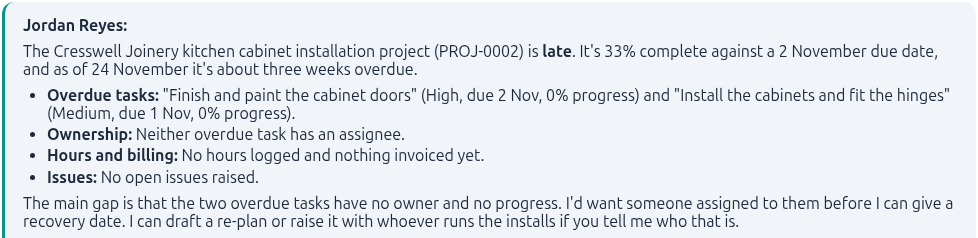
WorkJordan says which job is late, and why. 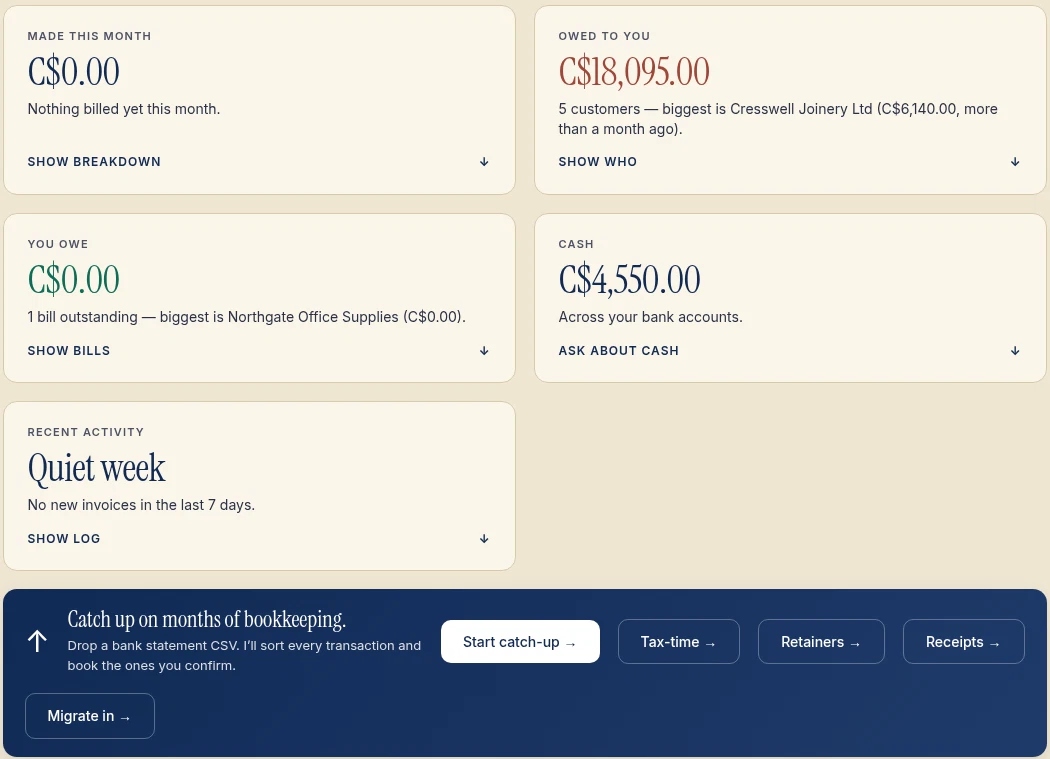
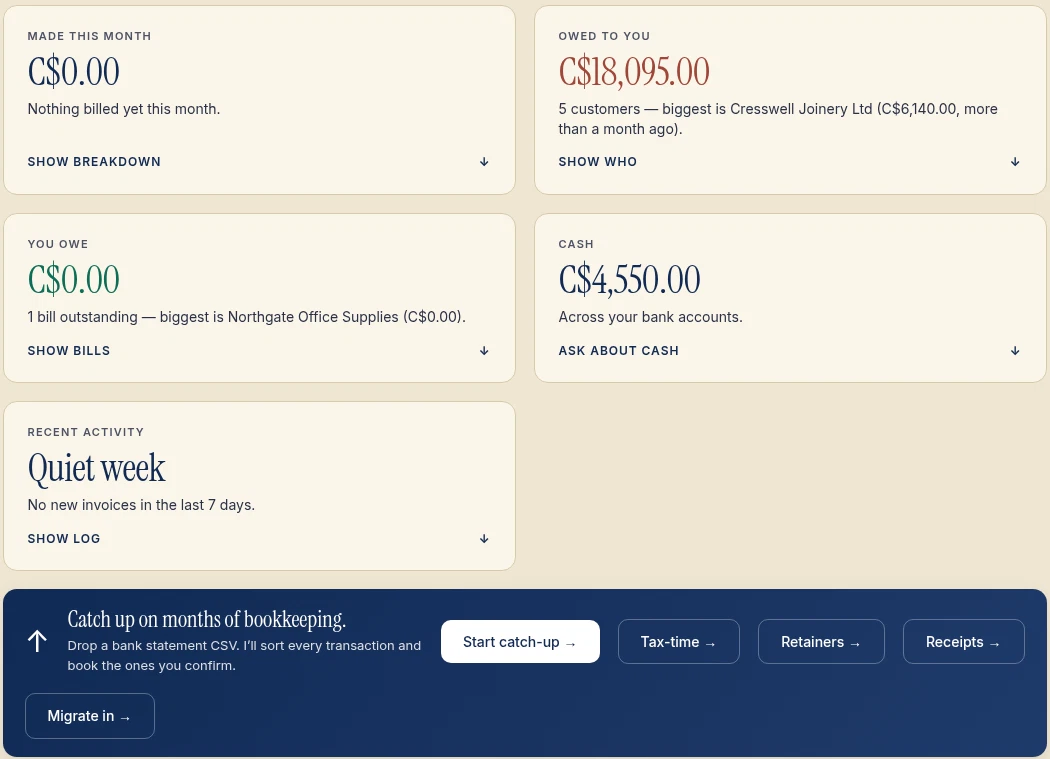
MoneyWhat you are owed, what you owe, and the cash. 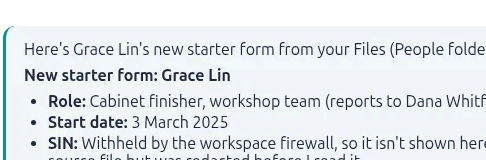
PeopleStarter forms read back, private details held back. 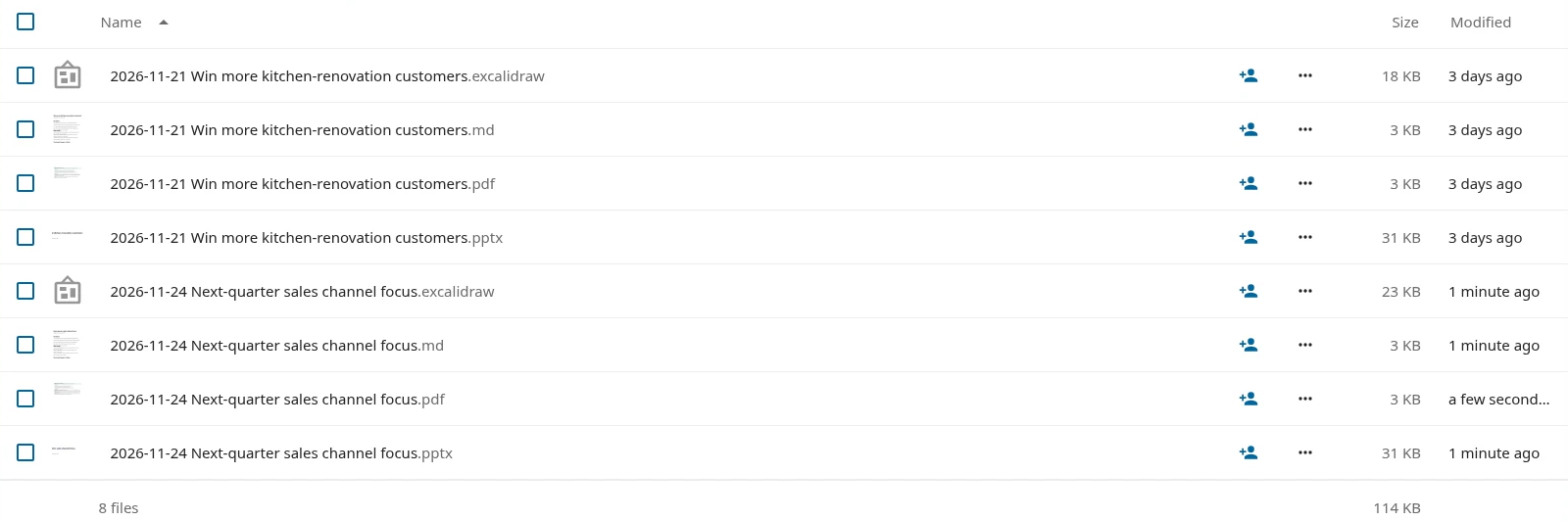
DocumentsPlans saved as slides, PDF and notes. 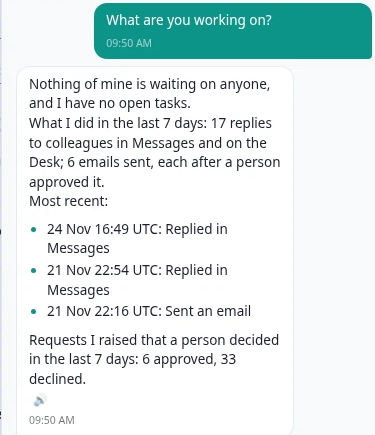
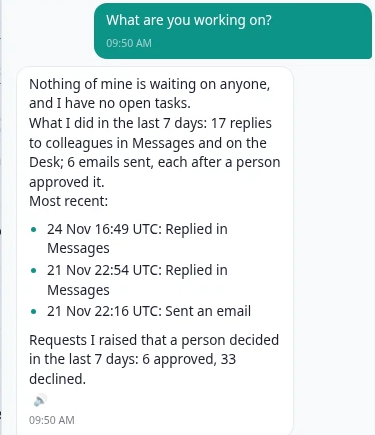
AI WorkersPriya says what she did this week, from her own record.
The whole story, in one breath
One workspace for the whole firm.Clients, work, money, people, documents. One sign-in.
AI Workers who do the routine work.An AI Worker is a named member of staff inside your workspace. Each one has a job, a manager, a set of rules and a daily spending limit. They chase, sort, draft and brief.
A person who decides what matters.Anything that touches money or leaves the firm waits for a yes.
One record of all of it.Who did what, and when, under their own name.
So you can get back to the work you started the firm for.
Where the owner's week goes
Six jobs that land on your desk.
Each one has a fix inside Vantage Workspace. Start with the one that costs you most.
- 01Chasing who owes youPriya Shah, billing
- 02Working out where you standToday and the Monday brief
- 03Chasing your team for updatesJordan Reyes, projects
- 04Five tools that don't talkOne workspace, one sign-in
- 05New starter paperworkPeople, read back for you
- 06Wondering what the AI didYour yes, and the record
01Getting paid
Your evenings go on chasing who owes you.
AI Worker · BillingPriya Shah chases it now. She reads who owes you from the books, drafts each reminder and waits for your yes.
- 01
She finds who owes you.
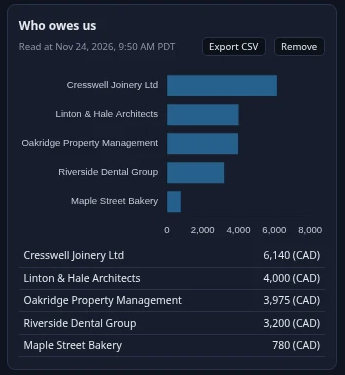
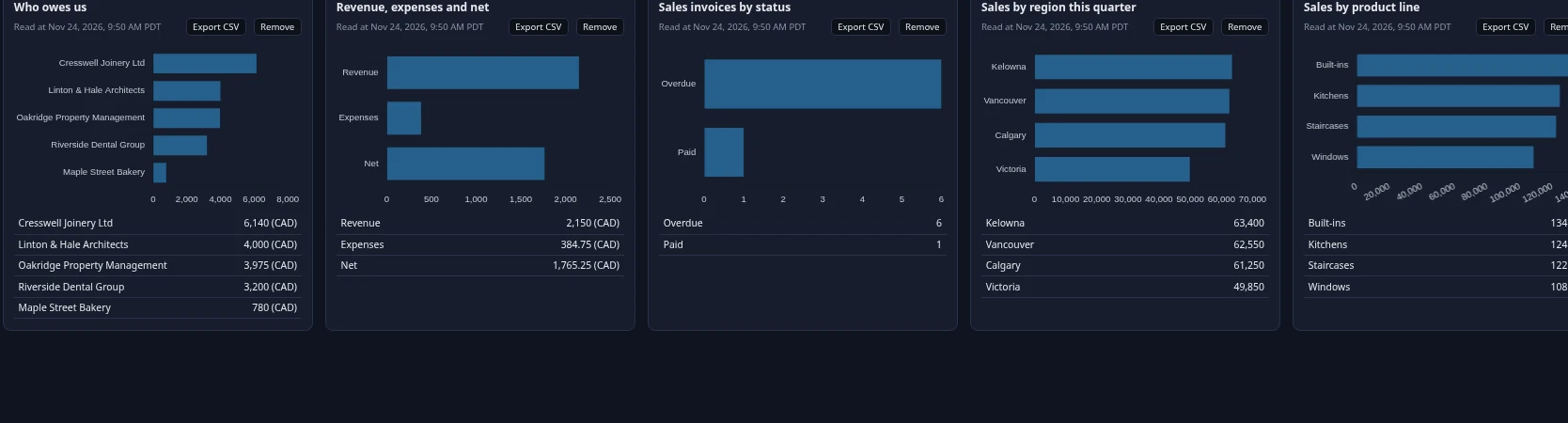
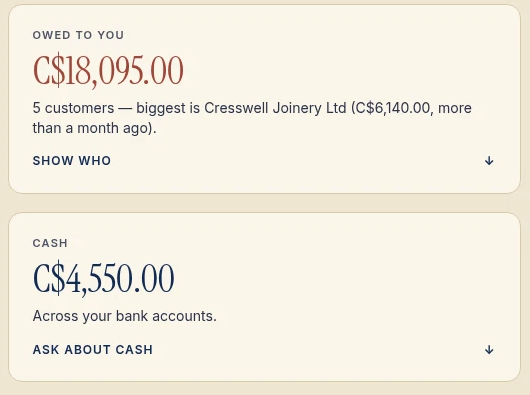
Five customers, read from the books. Cresswell Joinery owes the most. Nobody had to go looking.
- 02
She drafts it, and waits for your yes.
Written from the books, to go from her own mailbox. Approve it or send it back. One decision, not an evening of emails.
AI Worker · Billing






- 03
It goes, and it is on the record.
One record shows what she did, and when. You can open it any time.
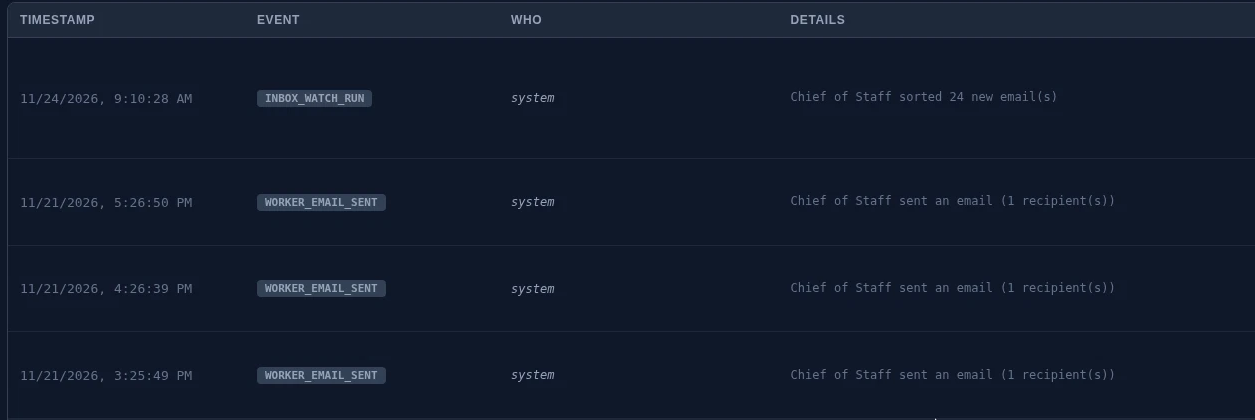
Seen in the product: five customers read from the books, and nothing sent until a person approved it. Already on Xero? Your AI Workers work in Xero.
02Where you stand
You find out where the firm stands by asking around.
Today · the Monday briefOpen one page and it is already there: the cash, who owes you, open deals and the day. On Monday the Chief of Staff writes the brief.
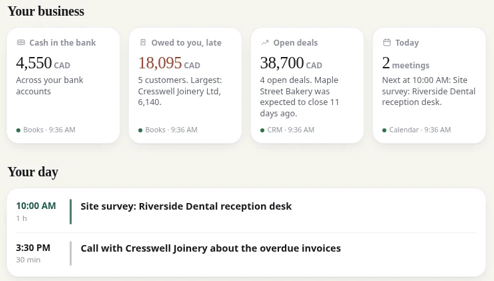
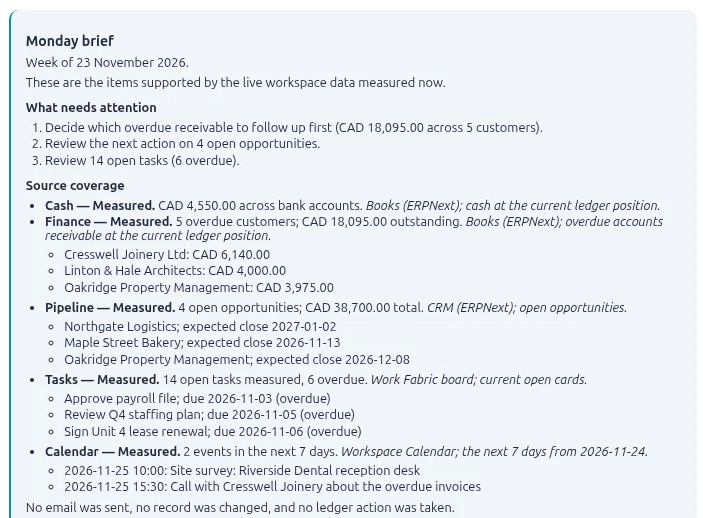
Seen in the product: cash, owed and pipeline on one page, each with its source. The brief ends by saying nothing was sent and no record was changed.
03Your team
You chase your own team to find out which job is late.
AI Worker · ProjectsJordan Reyes watches the projects. Ask, and Jordan says which one is slipping, by how much, and why.
Seen in the product: the late project named, 33 per cent done against its date, and two overdue tasks with no owner. Every worker has a name, a charter, a manager and a daily spending limit.
04Your tools
Five tools, five logins, and none of them talk.
One workspace · the Chief of StaffMail, files, signing, chat, planning and the books under one sign-in. The Chief of Staff sorts the inbox before you open it.
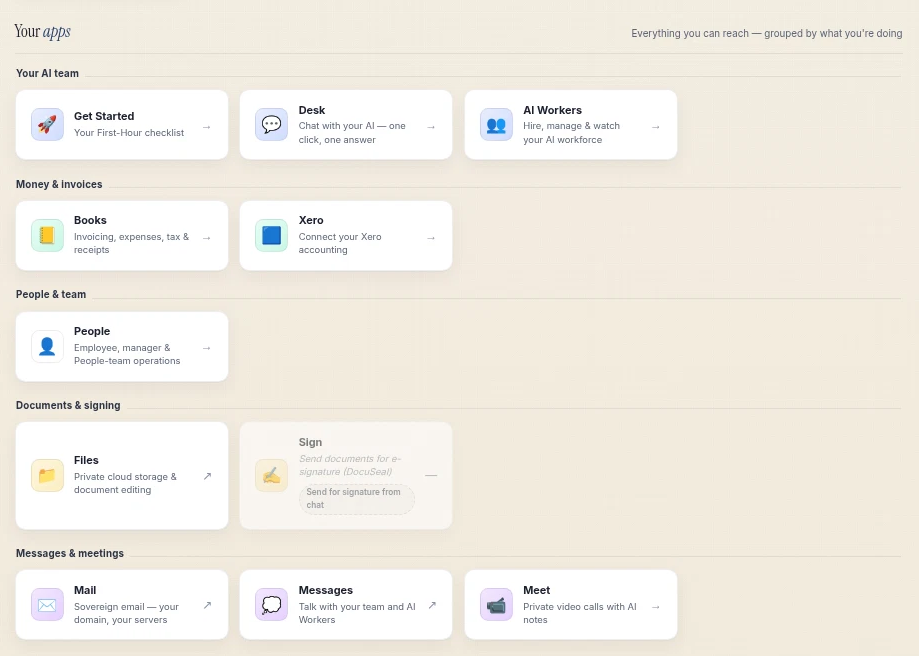
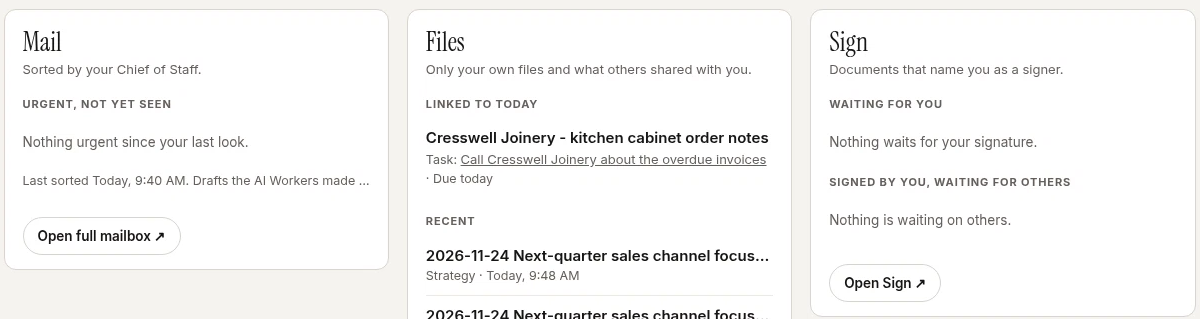
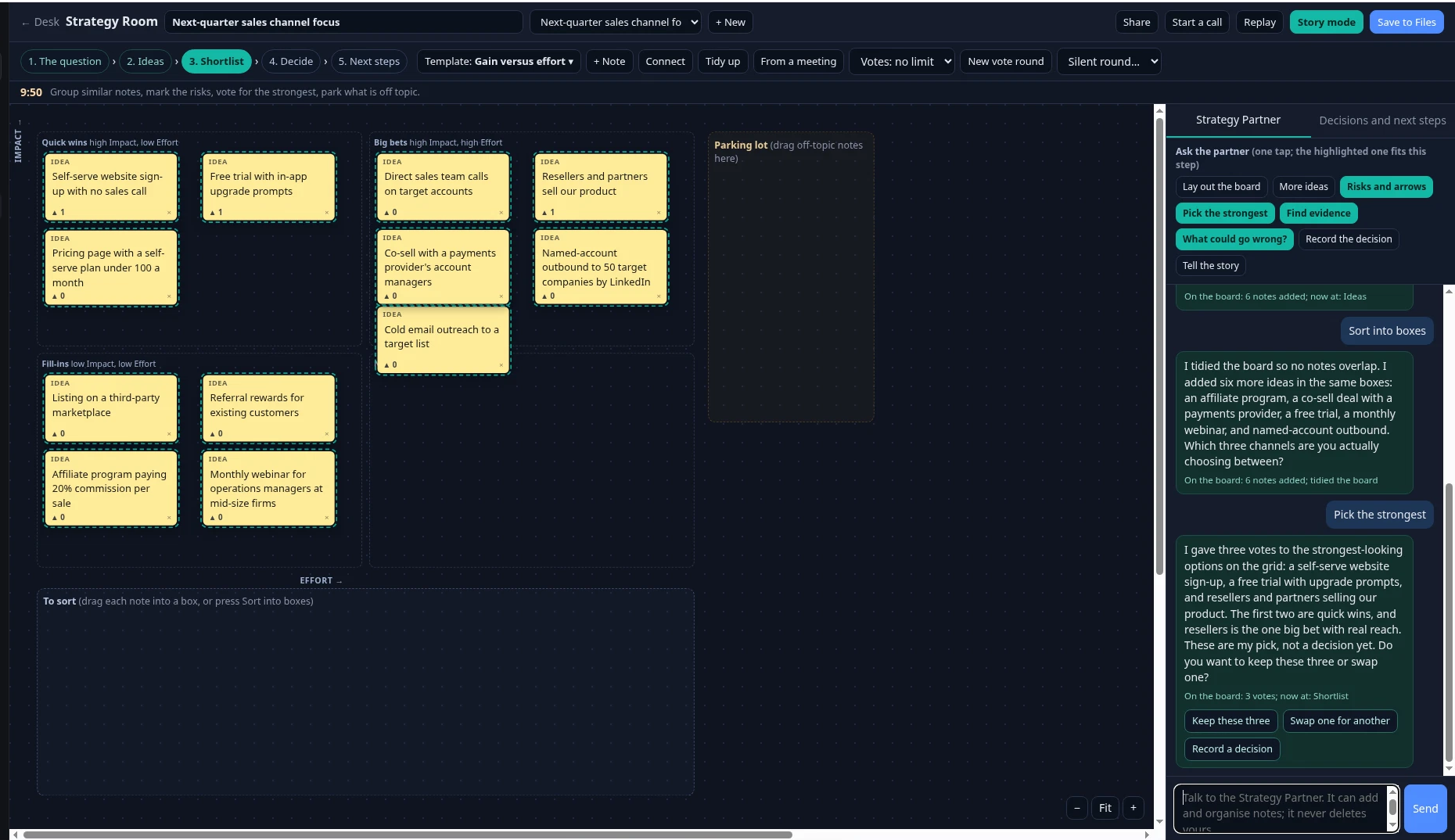
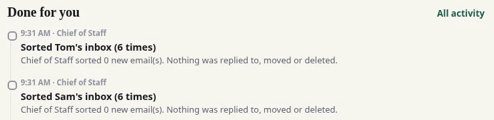
Seen in the product: two inboxes sorted, nothing replied to, moved or deleted. Already on Microsoft 365 or Google Workspace? Your people can keep it.
05New starters
Every new starter costs you an evening of forms.
People · rolesAsk for the starter form and it is read back to you. Private details are held back before the AI reads them, and each person sees only what their role allows.
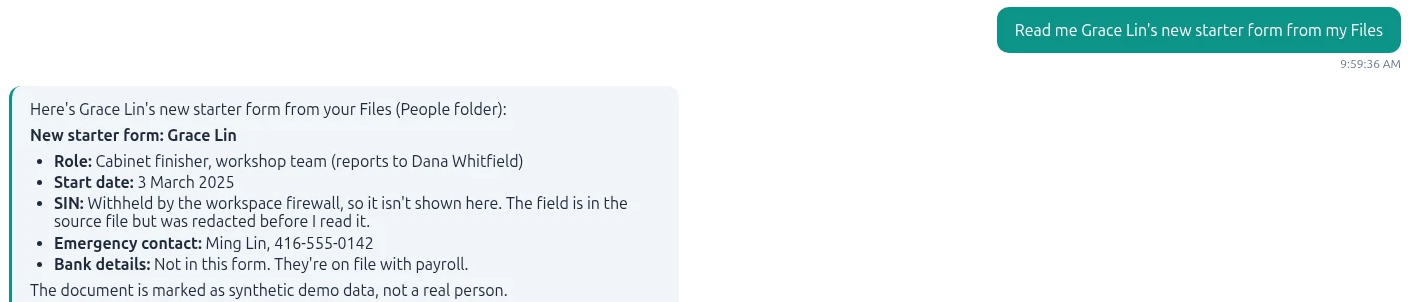
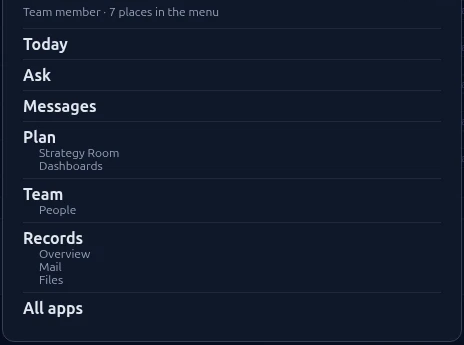
Seen in the product: the form read from the People folder, the SIN withheld at source, and a team member's menu without Money.

06Trust
You'd hand over the routine work, if you could see what gets done.
Your yes · the recordThe work arrives done. A person approves anything that touches money or leaves the firm, and everything each worker did is on the record.
Decide
It does not pay.
A person does.

Ask the Chief of Staff to pay a bill and it stops, says why, and leaves the decision with a person.
Control
Everyone sees what their role allows. Everything is on the record.
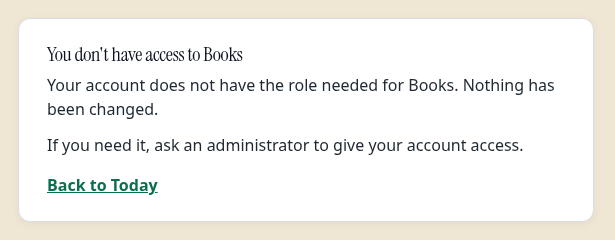
A worker acts with the access of whoever asks it, so a question from sales does not open the books. Every action sits under the worker's name, in one record you can open.
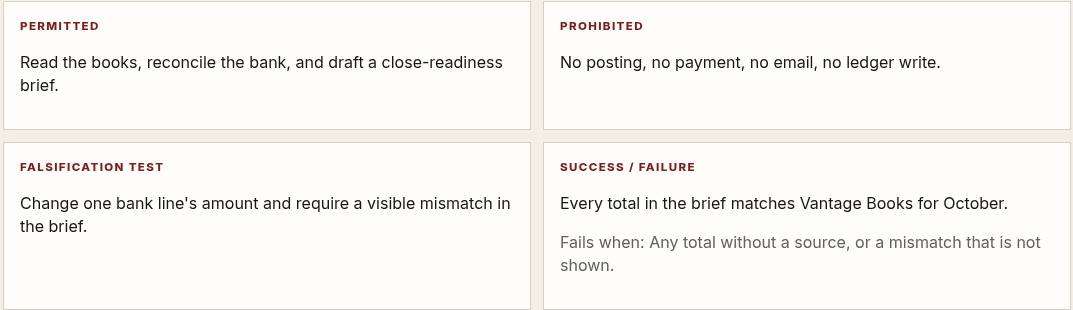
“Nothing is sent, paid or changed without your yes. Every decision is kept in your record.”
The line at the foot of Today, word for word.
The Chief of Staff
One Chief of Staff. A team that reports to you.
You ask in plain words. The Chief of Staff works out who should do it and hands the job to the right AI Worker: Priya for money owed, Jordan for projects, and the others you hire. The work comes back to you, and anything that touches money or leaves the firm waits for your yes.
- 01You ask."Who still owes us, and which job is late?"
- 02The Chief of Staff hands it out.Money owed to Priya. The late job to Jordan.
- 03The workers do the routine part.They read the books and the projects, and draft.
- 04You decide.Nothing is sent, paid or approved without a person.
“Built in. Hands work to the AI Workers; it cannot send, approve or spend.”
The Chief of Staff's own card on the Workforce page, word for word.
On the record: every hand-off is logged, with who asked, which worker it went to, and the reply. You can pause or retire any worker from the same page.
Yours, not rented
Your server. Your data. Your model.
Runs on a server your firm controls. Your data and your model stay yours. If you'd like us to run the server for you, it sits in the country you choose, for your firm alone.
01
Not a shared app
Vantage Workspace is not one big app shared by many customers. Each firm gets its own workspace, installed for that firm alone, and nobody else's data sits next to yours.
02
What stays, and what leaves
Your files, mail, chat, books, records, memory and audit log are stored on the server your firm controls. What leaves it is what you switch on: the text of a request to the AI provider you choose (none with a local model), outside email through your mail relay, and a fingerprint for the audit timestamp.
03
You choose the model
Use a model that runs on your own server, or bring your own keys for the AI provider you prefer. Keys are encrypted at rest and never leave your deployment.

The real work happens out there. The back office should keep up.

Start with one job.
Thirty days. One named AI Worker. One person who approves.
Pick the job that costs you the most evenings. The first job we suggest is money owed.
- 01Pick the job.We suggest money owed. The inbox or the Monday brief can come next.
- 02Meet the worker.One named AI Worker with a charter and a limit.
- 03Say yes, or not.Every draft that touches money or leaves the firm waits for a person.
- 04Keep the record.At the end you hold everything she did, and the decision is yours.
Where does the data live?
Runs on a server your firm controls. Your data and your model stay yours. If you'd like us to run the server for you, it sits in the country you choose, for your firm alone.
Is this a shared online app?
No. It is not a service shared between customers. Each firm has its own workspace on its own server, and the record of everything it does stays there.
What if the AI is wrong?
A worker drafts, and a person approves anything that touches money or leaves the firm. Where a worker has not read a figure, the record says so instead of guessing. Every action sits under the worker's name, so you can see what it did and when.
Who can see it?
One sign-in for the whole workspace, with roles that decide what each person and each worker can see. A worker acts with the access of whoever asks it, so a question from sales does not open the books.
Do we have to leave the tools we use?
No. Already on Microsoft 365, Google Workspace or Xero? Your people can keep them. The jobs and the record stay in Vantage.